Who is due: the Compliance list
Find which employees are overdue or due soon, filter and group the list, and record contact about a requirement.
The Compliance list shows every requirement that applies to every employee, and where each one stands today. Open it from Compliance in the side menu, then Results.
Read the list
Each row is one requirement for one employee. The columns are Employee, Position, Requirement, Standing, Due Date and Last Contact. The due date also says how far off it is, such as "in 5 days" or "12 days ago". You can also show External Id, Status and Skill.
When a requirement is owed once for each client a caregiver visits, the row names the client it is for.
The list opens on everyone, soonest due first.
Filter, sort and group
- Choose Filter.
- Narrow the list by Name Contains, Standing, Requirement, Position, Status or Assigned To. For example, choose Overdue and Due soon under Standing to see only what needs attention.
- Use Sort by to order the list, and Group by to group it, for example by Requirement or by Employee.
- Choose Search.
Choose Clear to go back to everyone, sorted by due date.
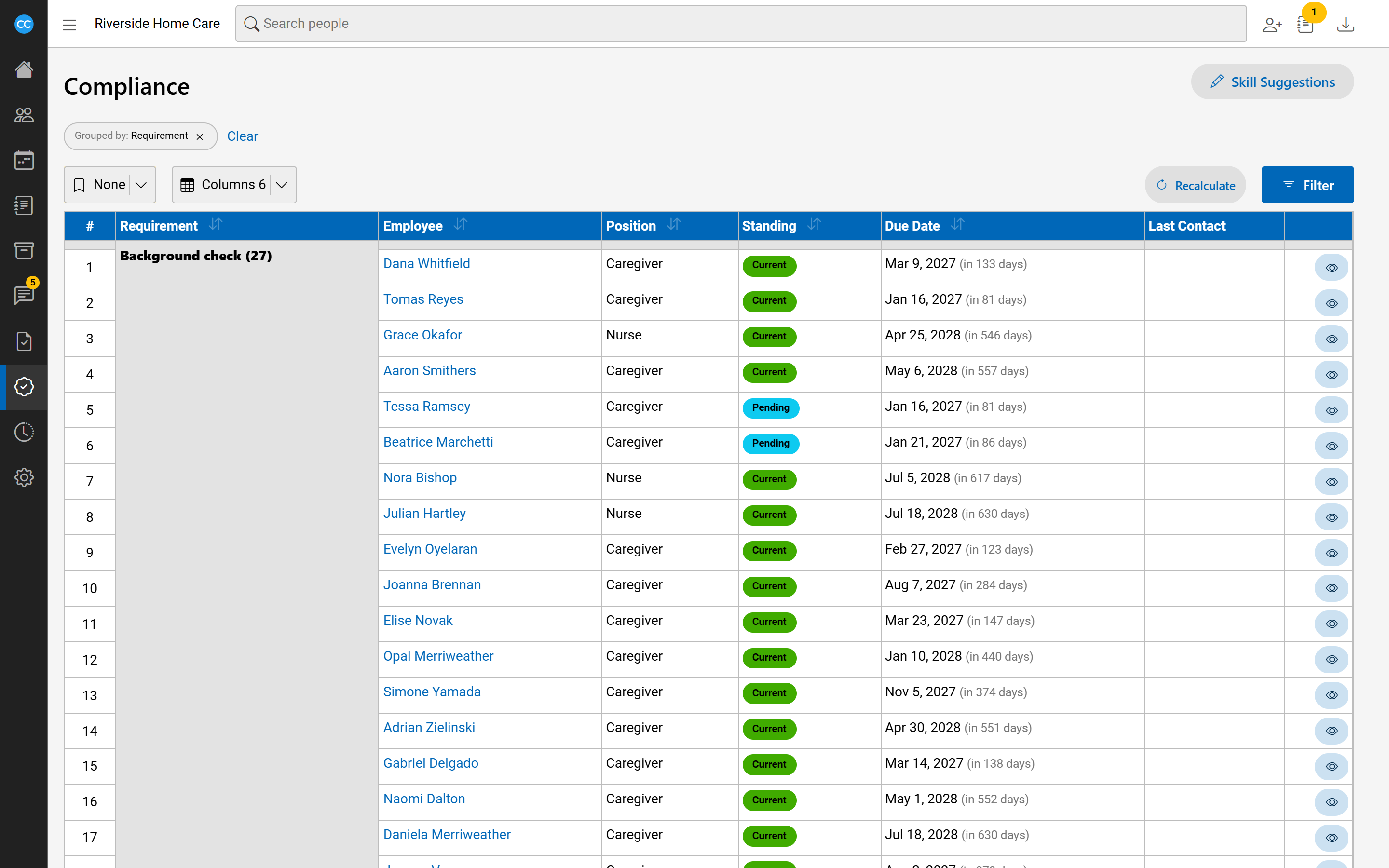
See the details of a requirement
Choose the eye button at the end of a row to open its side panel. It shows:
- why the requirement Applies to this employee, and As of when it was worked out;
- How it is met: each way to meet it, with a tick or a cross beside each part;
- links to open the employee's files and their compliance history in a new tab;
- any exemption or moved due date for this employee.
Choose Recalculate in the panel to work this employee out again now, for example after you have filed a new document.
Record contact
When you remind someone about a requirement, record it so others can see:
- In the side panel, under Contact, set When it happened.
- Enter What was said, such as a message left or a conversation had.
- Choose Record contact.
The contact is saved as a note about the employee, so it also shows on their Documentation tab. The newest contact shows in the list's Last Contact column.