Audit files
Set up an auditor's checklist once, then generate one PDF of the evidence for the people they name.
An auditor usually asks for the same things in every person's file, in their own order and their own words. An audit file is that checklist, set up once. When you generate it for some people and a period, CareComplete gathers the evidence for each person into one PDF, answering each item Yes, No or NA.
Audit files are under Compliance in the side menu, then Audit Files.
Create an audit file
- Choose Create Audit File.
- Enter a Name, such as "Worker File Review", and choose whether it is For employees or clients. This cannot be changed later.
- Add a Description if you like. It is printed on the cover.
- Choose Save. The audit file opens on its Items tab.
Add the auditor's items
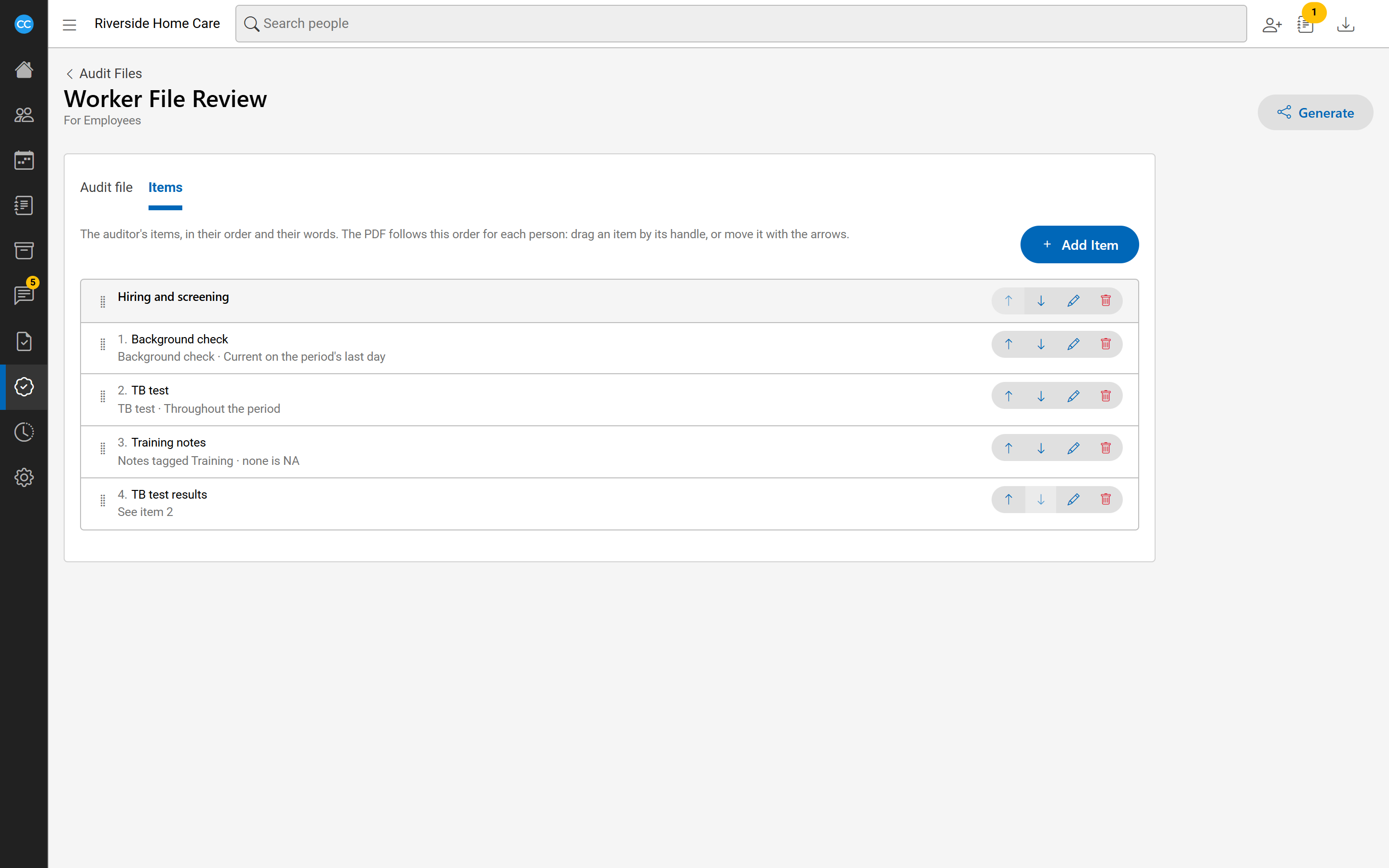
Choose Add item, pick What it is, enter The auditor's wording, and choose Save. An item can be:
- A compliance requirement: answered by the requirement's rules. Choose which files to show: current on the period's last day, throughout the period, or the first ever.
- Notes with a tag: the person's notes with that tag, written in the period, such as incidents.
- A report on visits: time sheets for each visit, or whether services started in time.
- See another item: answered by an earlier item's evidence.
- A heading: a section title in the checklist.
Drag items by their handle, or use the arrows, to put them in the auditor's order.
Generate the PDF
- Open the audit file and choose Generate.
- Choose the people the auditor named, up to 25, in the order you want them in the PDF.
- Set Period from and Period to. They start as last calendar year.
- Choose Generate.
The PDF is made in the background. Under Your generated files, each one shows as Queued, Being made, Ready or Failed, and updates on its own. When it is ready, download it there or from Available Downloads. To run it again for the same people, choose the generate again button on its row.
To generate an audit file for one person, open their page and choose Generate audit file… from the Actions menu beside their header.
What the PDF holds
The cover has a summary sheet: people across, items down, each answered Yes, No or NA. Then, for each person, a page listing their answers and the evidence, item by item.
Only what you are allowed to see goes in. A file you may not open is named but not included. Only you can download the PDFs you generate.