Finding and adding people
Find anyone in your agency with the People list or the header search, and add a new employee or referral.
Everyone your agency works with - clients, employees, referrals and other contacts - is a person in CareComplete. You can find them two ways: the search box in the header, or the People list.
Find someone quickly
Type at least three letters of their name into Search people in the header, then pick them from the results. Their profile opens in a new browser tab. Each result shows the person's type, status, position or client type, and external id, so you can tell people with the same name apart.
Browse the People list
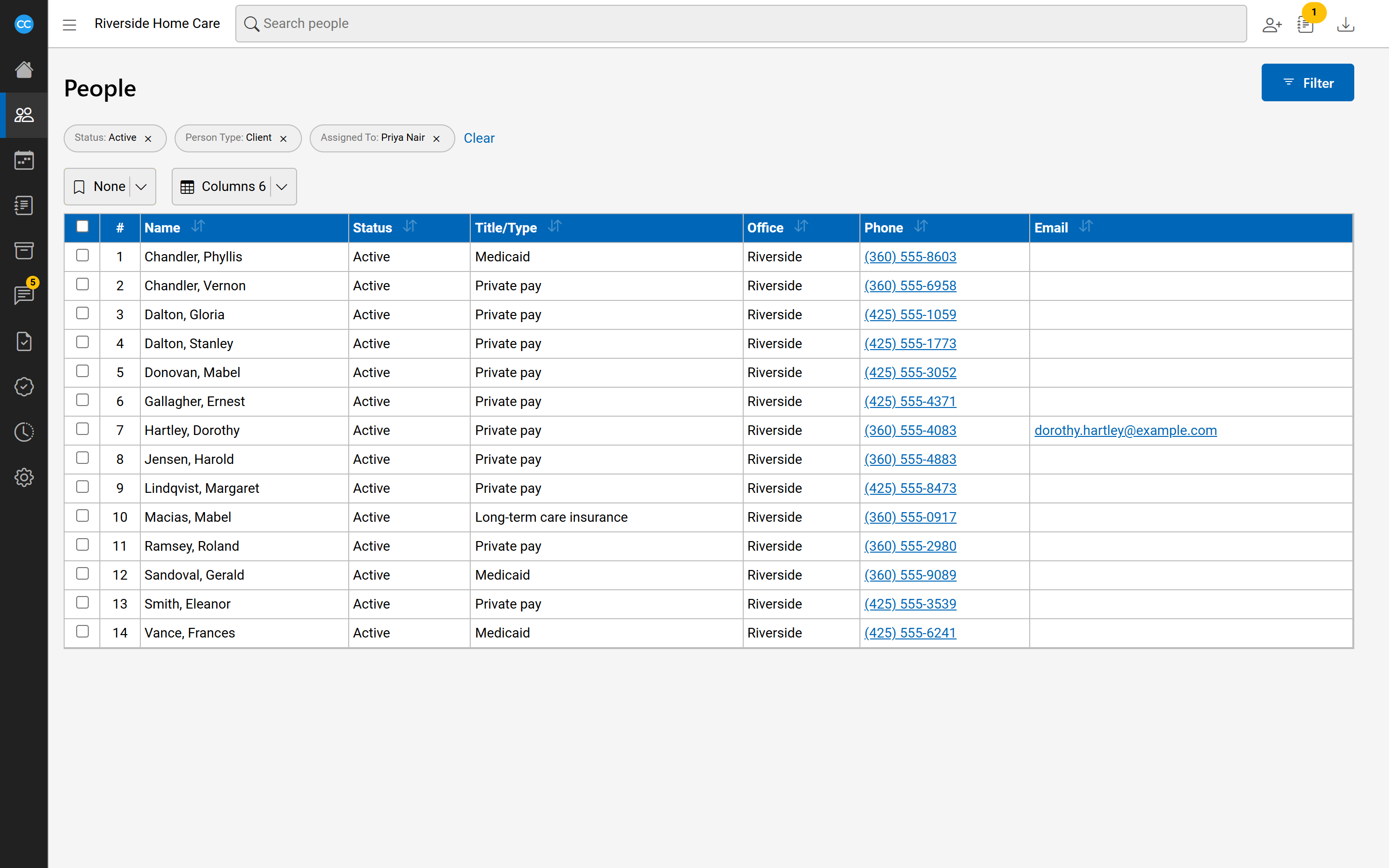
- In the sidebar, open People and select All.
- Select Filter to narrow the list - for example Person Type Client and Status Active - then select Search.
To see everyone one employee looks after, set Assigned To to that employee. You can also choose which kinds of assignment count, and the day with Assigned On. The list shows Name, Status, Title/Type, Office, Phone and Email to begin with; use Columns to show more, such as City, Start Date or Assigned To.
Add an employee
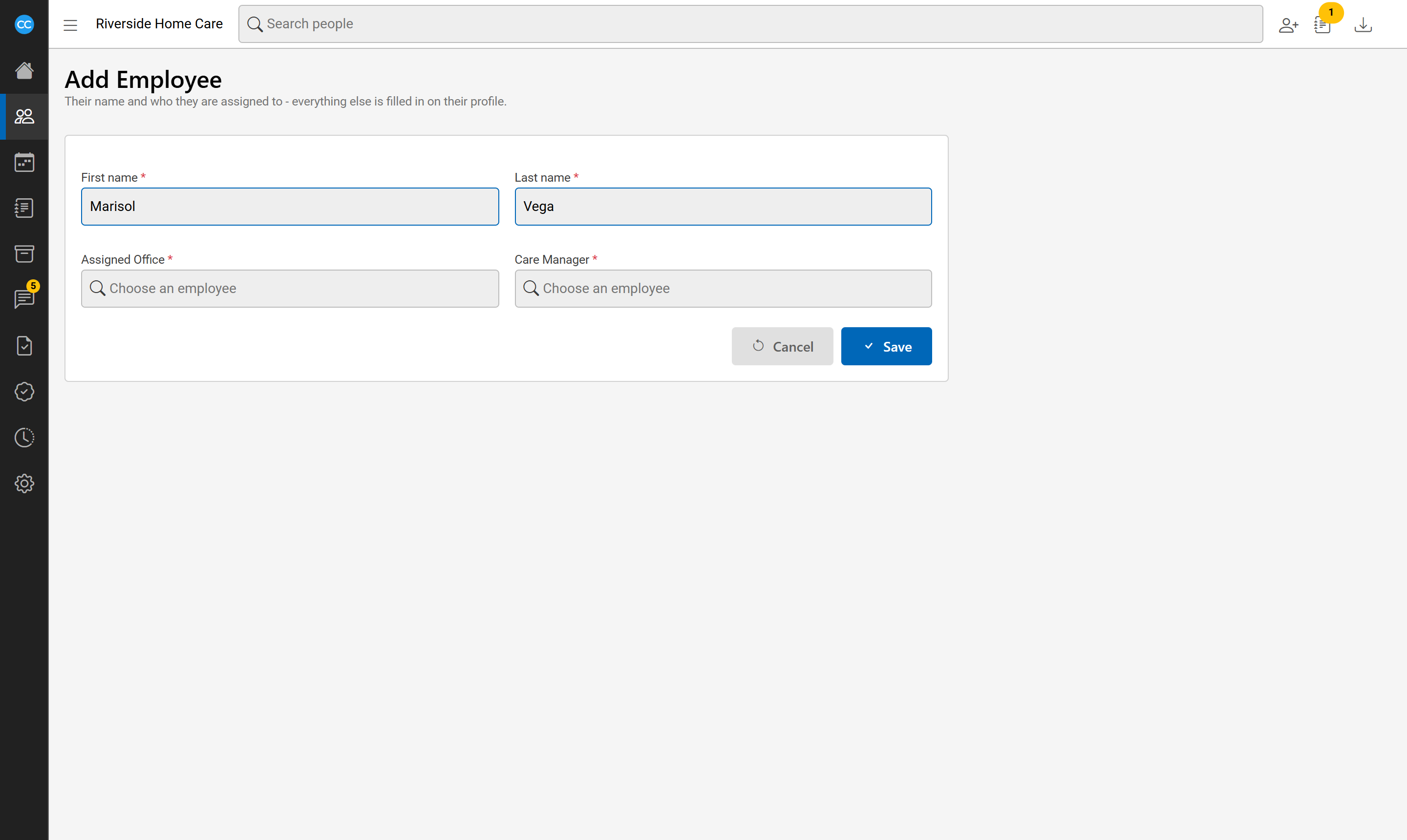
- In the header, select the add button (a person with a plus) and choose Employee.
- Type the First name and Last name.
- If your agency requires certain assignments, a box appears for each. Choose the employee who holds it. Required ones are marked with a red star.
- Select Save.
The new employee's profile opens, where you fill in everything else.
Add a referral
ChooseReferral from the add menu, then fill in its Name, Category and Priority and select Save.
If someone similar already exists
When the name looks like someone already in CareComplete, the page lists them under These look like the one you are adding. Open one to check. If it is the same person, leave this page without saving and use the existing record. If not, select Add anyway.
Adding a client
There is no Add Client. Every client starts as an inquiry: choose Inquiry from the add menu, and turn the inquiry into a client from there. See the Intake articles for how.