Files and the file cabinet
Find, open, stamp and download the documents filed under a person, or across the whole agency.
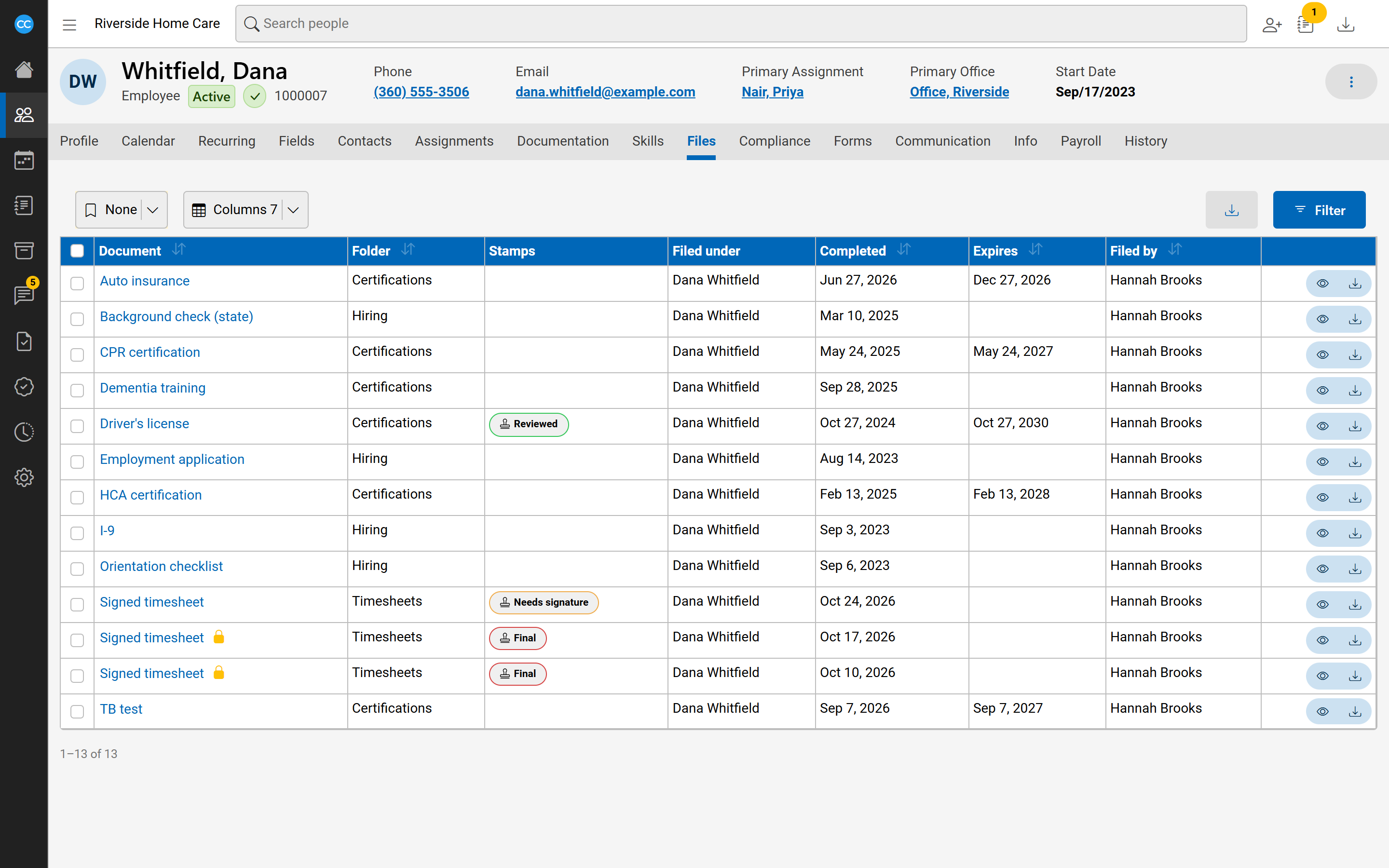
Documents in CareComplete - signed forms, certificates, timesheets and the like - are filed under the people they belong to. You see one person's documents on their Files tab, and everyone's in the File Cabinet (in the sidebar under Filing). Both are lists, so filters, columns and bookmarks work as on any list.
New documents come in through the Inbox, where they are filed. See Filing documents from the inbox.
Find a file
Select Filter and narrow by Folder, Document, Has a stamp, Has no stamp, the Completed, Expires, Stamped or Filed dates, Filed by, or Notes contain. Each date has quick ranges such as Last 30 Days. The File Cabinet adds Filed under, Person type and Person status. Select Search to apply.
The list's columns include Document, Folder, Stamps, Filed under, Completed, Effective, Expires, Hours, Notes, Filed by and Filed on. A lock beside a document means a stamp has locked it.
Open a file
Select the document's name, or the eye button. It opens in a panel at the side, with the document beside its details. Down the left of the panel:
- Info - the file's details. Change them and select Save.
- Stamps - the stamps on the file.
- Visits - shown when the file is the timesheet of one or more visits.
- Download - save the file to your computer.
- Window - open the file in a window of its own, to keep beside your work.
files-viewerThe file side panel open on a sample PDF (a signed care plan), Info pane showing Document, Filed under, Completed, Effective and Expires dates, the PDF visible on the right.Stamp a file
- Open the file and select Stamps.
- Choose a stamp, add a note if you want, and select Stamp.
Some stamps lock the file: its details cannot be changed until that stamp is removed. To take a stamp off, select its bin button and confirm.
Download several files
Tick the files you want, then select the download button above the list. They download as one zip, up to 100 files at a time.