Sending a job offer for an open shift
Offer a shift to suggested caregivers, read their answers and put one on the schedule.
A job offer sends a shift to a caregiver's messages, where they answer Accept, Decline or Maybe from their portal. Offers are sent from a schedule's suggestions, and the answers come back into each caregiver's conversation.
Offer a shift
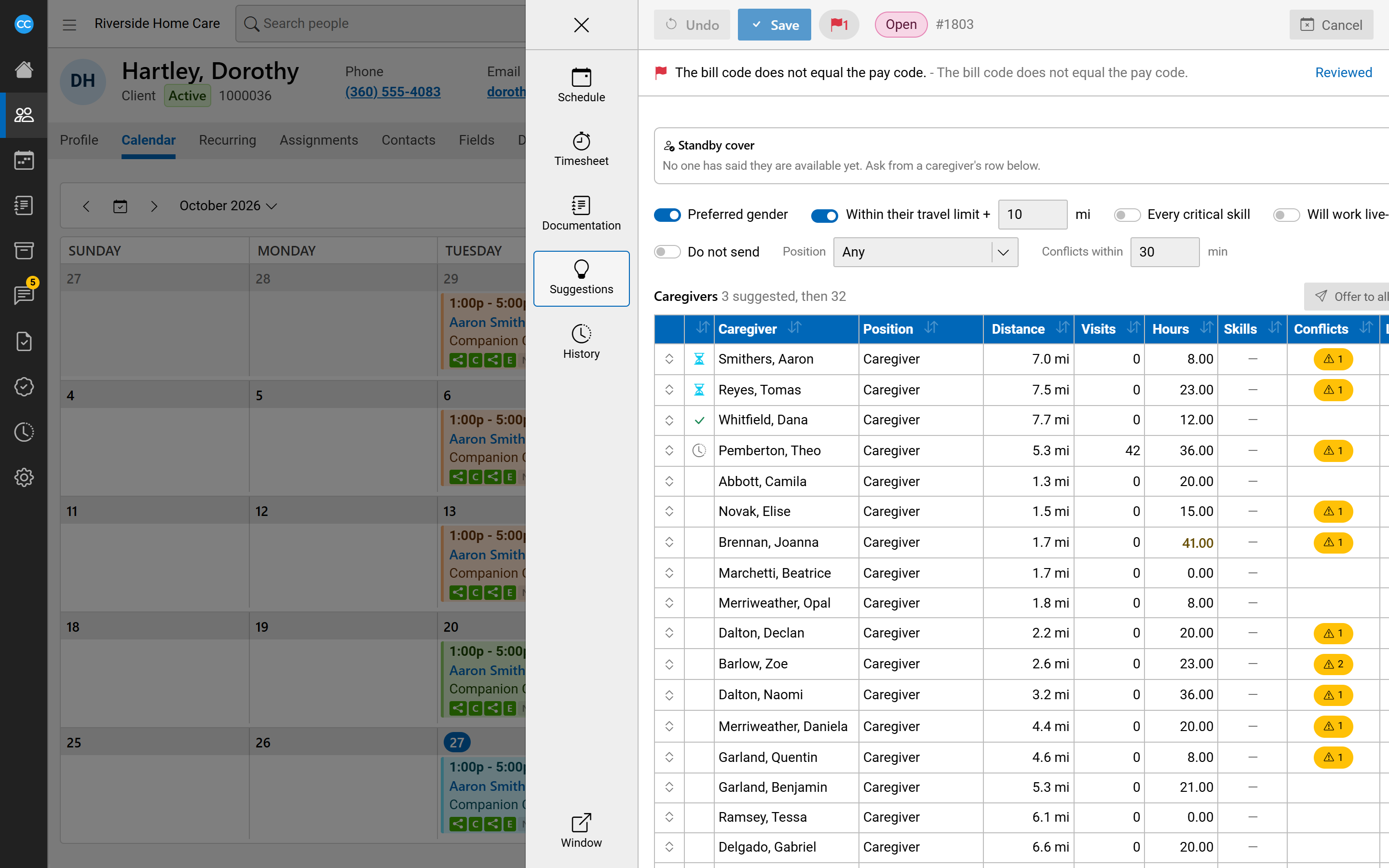
- Open the schedule and choose Suggestions in its side menu.
- Find the caregiver in the Caregivers list and select their row to open its details.
- If they are not suggested yet, select Suggest.
- Select Send offer.
When more than one caregiver is suggested, Offer to all suggested sends the shift to each of them. You are asked to confirm first.
A short notice says how many offers were sent. An offer is not sent for a shift that is cancelled or has already started, and the notice says why.
Ask whether someone is available
Ask if available, in the same row details, asks a caregiver whether they could cover the shift. They answer Available, Not available or Maybe.
Read the answers
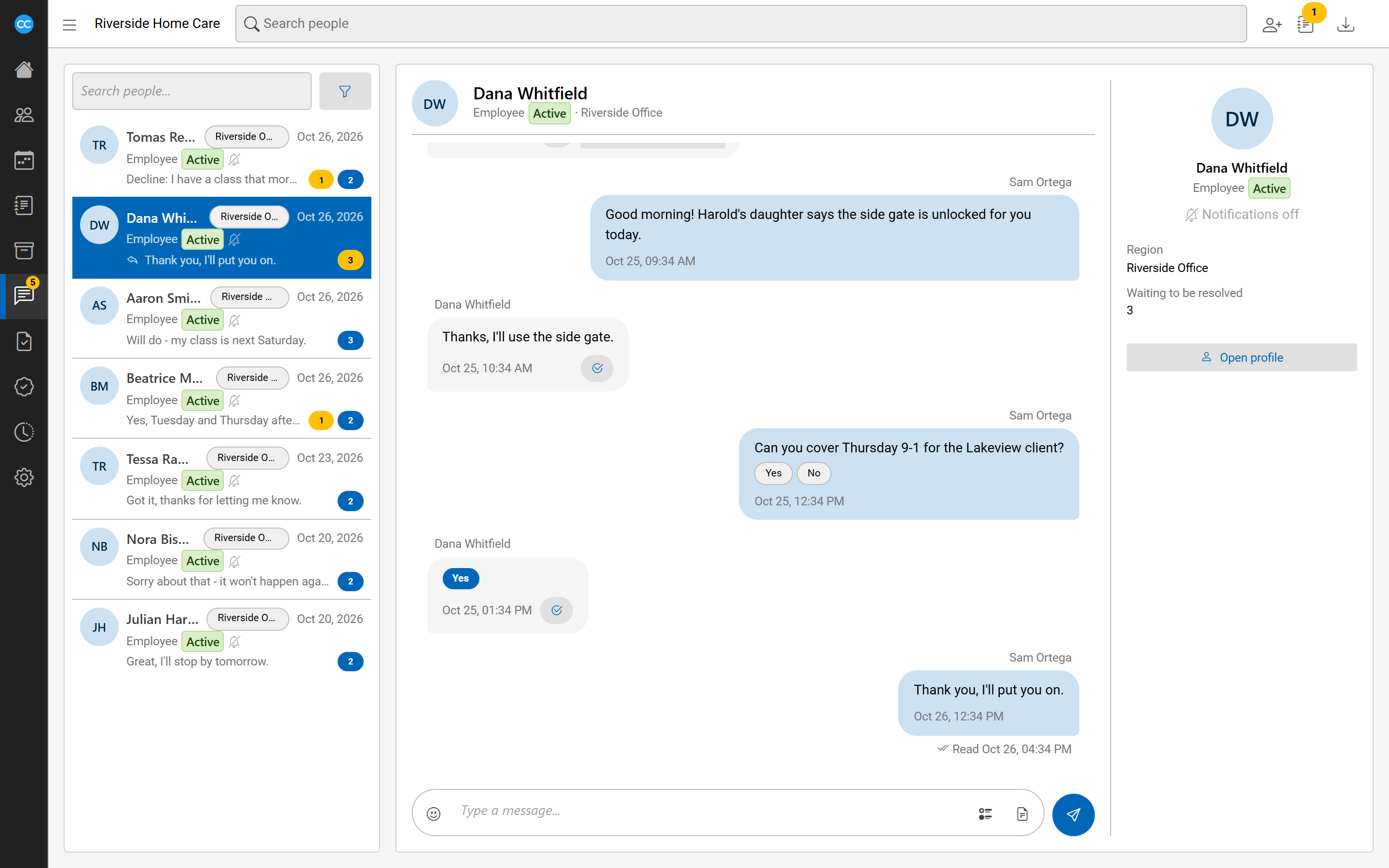
Each offer appears in the caregiver's conversation as a Shift offer card with the shift's day, times and region. Under it you see the answer that stands, or No answer yet. A caregiver can change their answer until the shift starts, and the latest answer is the one that counts. If the shift is cancelled or removed, the card says so.
When a caregiver answers an offer you sent, you see a notice such as "accepted your shift offer" with the shift's details.
The Communications card on the dashboard counts answers still to resolve under Accepted, Maybe and Declined, replies under Replies, and offers nobody has answered under Not answered. Select a count to open the conversations that are waiting.
Put the caregiver on the shift
Under an accepted answer to an offer that is still open, select Put on the schedule. The schedule opens in a side panel with the caregiver picked. Nothing changes until you select Save. Saving puts them on the shift and resolves their answer.
An answer does not change the caregiver's suggestion. You decide what to do with it.